Installation guide
How to Play Backyard Monsters
Download, install, and start playing Backyard Monsters Reborn on Windows.
Before you begin
You need a Windows computer, an internet connection and a free Reborn account. Discord is optional. Reborn is an independent community revival with its own accounts and servers. You do not log in through Facebook or install a browser Flash plug-in.
1. Create a Reborn account
Open the account page, choose Create account and enter your username, email and password. Use credentials you can return to when signing into the launcher. Keep your password private.
2. Download and install the launcher
Get the Windows installer from bymreborn.com, open it and follow the installation prompts. Our downloads page always links to the current installer.
If Windows or your security software blocks the installer, check that it came from this website and ask in Discord for help. Do not disable your antivirus to install the game.
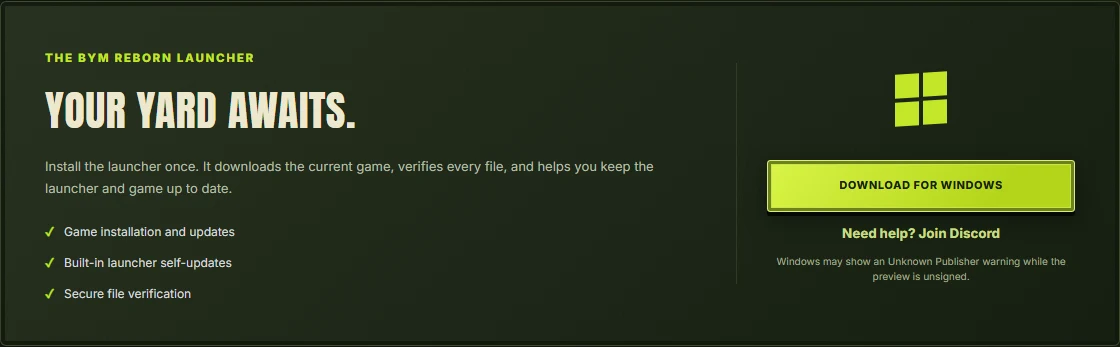
3. Sign in and install the game
Open the launcher and sign in with your Reborn account. Choose Install game and allow it to download and verify the game files. When ready, choose Enter your yard. The launcher manages game files and updates, so a separate browser plug-in is not needed.
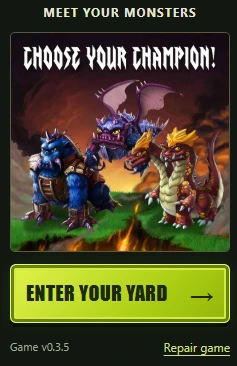
Game updates and launcher updates are different
The launcher is the Windows app you open to sign in and manage the installation. The game is the set of files it downloads. Their version numbers can differ; a new game patch does not necessarily mean a new launcher installer.
- Close the game window before updating or repairing files.
- Reopen the launcher so it checks the current release.
- If the main button says Update game, choose it and let verification finish.
- When it says Enter your yard, reopen the game.
If the launcher itself offers an update, follow its update prompt. The downloads page provides the current Windows installer if you need to install it again. An ordinary game patch does not require a reinstall.
If something does not work
- An older launcher asks for Discord verification: install the latest launcher from the downloads page. Discord is no longer required to play.
- Sign-in fails: use the email and password from your Reborn account, not just your in-game username. An old Facebook login is not a Reborn account.
- Download does not finish: check your connection and available disk space, then try reopening the launcher. Check the service status page for an outage.
- The game shows a loading error: close the game and install any available game update. If the files are still failing to load, choose Repair game in the launcher to download and verify them again. If it repeats, share the exact error text, approximate time and what you were doing with the support community. Do not post passwords or session files.
Will reinstalling erase my Reborn yard?
Your Reborn account and saved yard are separate from the files installed on this PC. Sign back into the same Reborn account after reinstalling. Creating a different account starts a different yard; it does not recover the first account.
Can these steps work on Android or iPhone?
No. These instructions are for the Windows launcher. You can read guides and manage your account from a phone, but Reborn does not currently offer a supported Android or iPhone game app.
Returning after a break?
Open the launcher and allow any available update to finish before playing. The current download page remains the place to reinstall if needed. Your Reborn account is separate from the installation on your computer.
For platform, cost and account questions, see can you still play Backyard Monsters?